
1. Open your word file document.
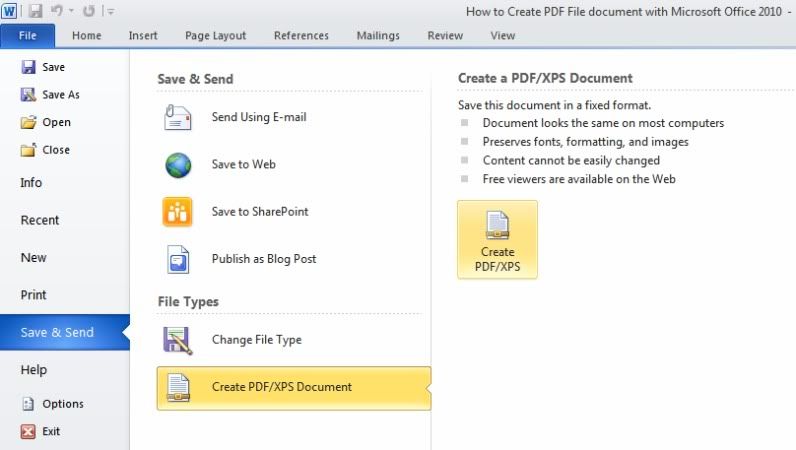
2. Please select File menu, and than Save & Send - Create PDF/XPS Document
then on the right-side Click Create a PDF/XPS.

3. In the prompt, Choose a location and name. Next Click Publish.

4. Done! Your document is now saved as a PDF.
2. Please select File menu, and than Save & Send - Create PDF/XPS Document
then on the right-side Click Create a PDF/XPS.
3. In the prompt, Choose a location and name. Next Click Publish.

4. Done! Your document is now saved as a PDF.

{ 0 comments... Views All / Send Comment! }
Post a Comment